
It talks to the systems
you already run.
ATLAS owns the hand-offs and writes back what changed: orders to Epicor P21, tickets to Jira, approvals to Teams, devices from Intune. Watch one approved order travel through four systems.
One record. Every desk it crosses.
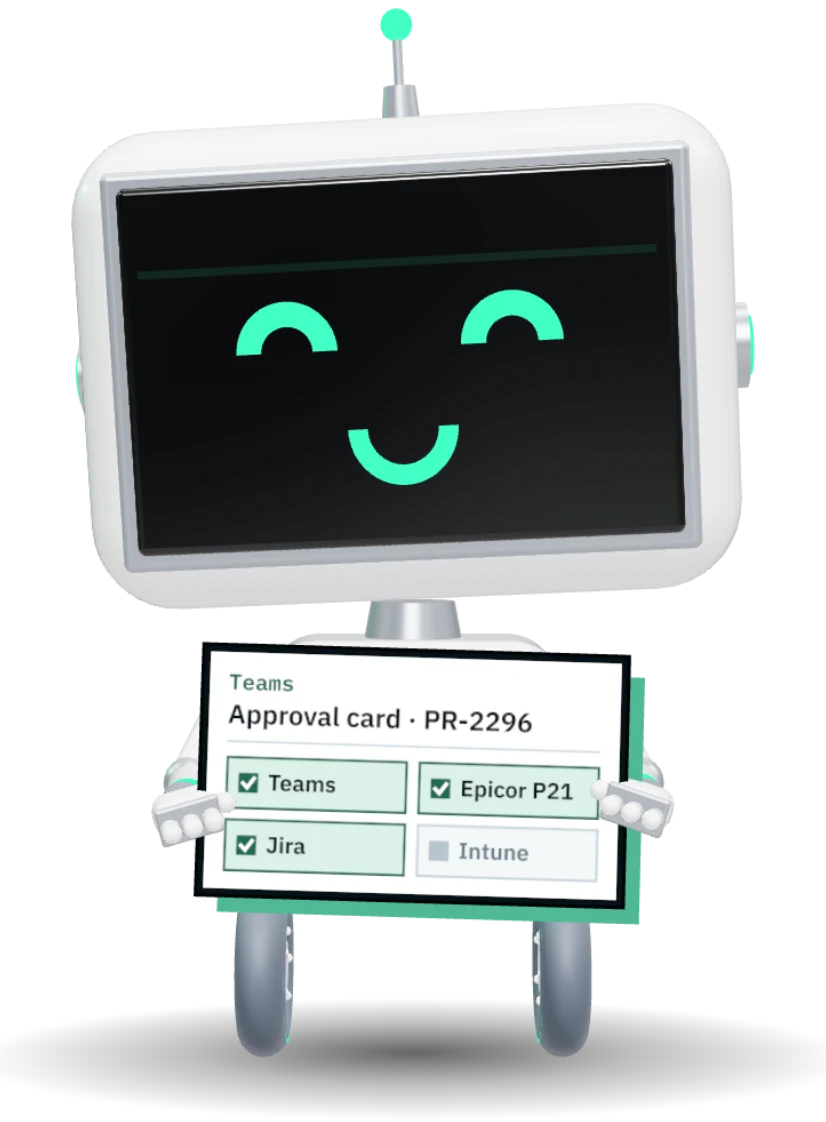
Submits the order. Luis gets a Teams card
20 min savedApproves from Teams without opening ATLAS
35 min savedPO books itself in Epicor P21
30 min savedA Jira ticket opens when the box arrives
25 min savedIntune shows the laptop enrolled to Ana
20 min savedEvery system on one record
Each connector is switched on per function, so you only turn on what you need.
See the catalog- 20
- systems on one record
- Per function
- each connector turned on one at a time
- $0 extra
- every connector but the ERP is included


Product names and logos are trademarks of their owners, shown to name the systems ATLAS connects to. No endorsement is implied.
Included, except the ERP.
Every connector below ships with the platform. The Epicor P21 connector is its own line at $9,000 a year.
ERP
1 connectorApproved POs booked in Prophet 21; receipts, AP invoices, suppliers and items read back.
Add-on · $9,000 / yrWork tracking
2 connectors22 automations: fulfillment ticket on receipt, provisioning on access approval, renewal task in the notice window, comments mirrored both ways.
Assets read into discovery (needs Jira Premium).
Microsoft 365
4 connectorsSingle sign-on, groups and owners, tenant app discovery.
An approvals bot: approve or reject from the chat, with the record updated.
Microsoft 365 sign-ins and seat usage for license optimization.
Send as your domain; invoices, replies and tickets received by email.
Buying
3 connectorsShop supplier sites; baskets return as priced requests.
PunchOut for everyday items under your agreed account.
One address for suppliers; read and matched automatically.
Signing
2 connectorsBuilt-in e-signature with sealed PDFs and fresh codes at signing.
Send and track envelopes from the contract record.
Discovery
8 connectorsEndpoint inventory into assets and the app registry.
Macs, iPads and iPhones.
Directory computers and accounts.
Hosts, VMs and datastores, live or by file.
Cloud resources and their cost.
Printers, switches and access points.
Observed topology between systems.
Shadow IT seen on the network.
Shipping & warranty
2 connectorsReturn labels or QR codes for leavers, tracked to the dock.
Warranty dates looked up by serial number.
Identity
3 connectorsOpenID Connect sign-in with MFA from your tenant.
Sign-in and group mapping.
Any SAML 2.0 identity provider.
Operations
4 connectorsAudit and security events streamed out.
Events pushed to your own endpoints.
Scoped keys for reading and writing records.
Scheduled pushes from your own scripts.
AI
2 connectorsLocal models on your own GPU, no egress.
Anthropic, OpenAI, Azure or Langdock with your key, behind consent.
The work ATLAS decides on, raised in Jira.
When an order is received, an access request approved or a renewal window opens, ATLAS raises the ticket in the right project and reads back what happened. Twenty-two automations, each with its own switch.
- Delivered dates stamped when the ticket closes
- Request-to-delivery cycle time reported
- Approved but never delivered, listed
Raised by ATLAS when PO-1882 was received
Approve without leaving the chat.
The ATLAS bot posts an approval card to the person who must decide, not to a shared channel. Approve or reject in Teams and the record updates as if they had clicked in ATLAS.
- Sent to the approver only, never to a channel
- Purchase requests, contracts and cloud approvals
- The card refreshes when someone decides elsewhere
ATLAS bot · just now
Approved orders, booked in Prophet 21.
ATLAS keeps the approval trail and hands P21 a clean purchase order. Receipts, AP invoices and master data come back onto the record, so buyers never re-key an order.
- Suppliers, items and branches kept in step
- Each order booked once, even if a call is retried
- Receipts and invoices visible on the request
PO-1882 · from PR-2296
About connecting ATLAS.
What if our ERP is not P21?
Do integrations cost extra?
Can we switch individual automations off?
Do integrations work on an air-gapped install?
 Walkthrough · your process PNMCLOShare
Name the systems you run.
We will show you exactly which ones ATLAS connects to on day one.